Notice when you’re needed.
A gold hand can mean a coding agent has a question. Supported local adapters read saved state; the picture is not a heartbeat or a measure of productivity.
Try agent states ↓Rage Industries / CHANNEL64
An indoor LED pixel display in a retro TV case. Put a weather picture, a tiny aquarium, or a signal from your coding agents where you can notice it without opening another tab.
In development.
Needs a computer that stays on, reachable Wi-Fi and wired power.
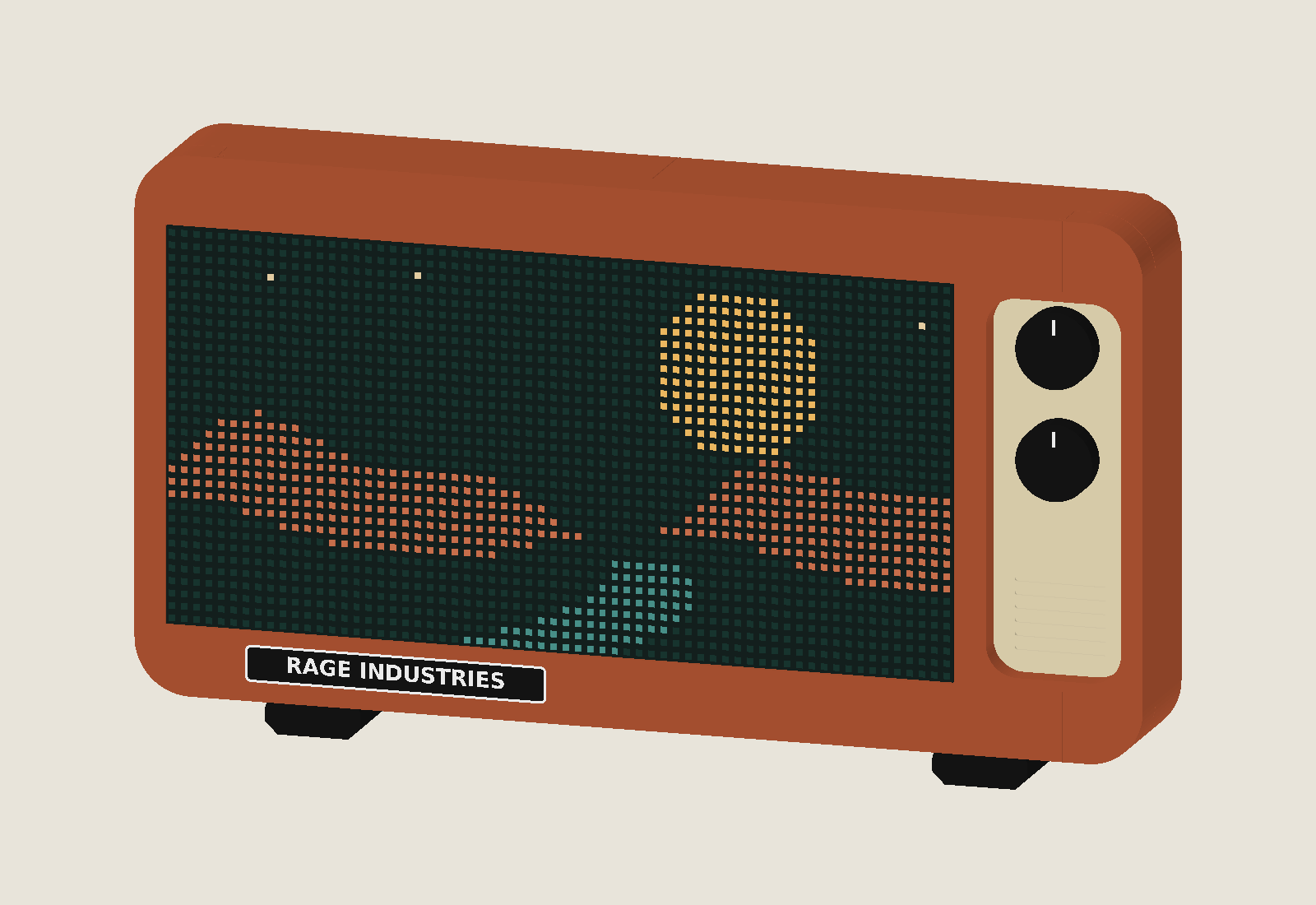
Small resolution. A clear purpose.
For makers, local-agent users, and people who like a useful object with a little personality.
A gold hand can mean a coding agent has a question. Supported local adapters read saved state; the picture is not a heartbeat or a measure of productivity.
Try agent states ↓A cloud, temperature and wind can answer “what’s it like outside?” Geographic sources need your location and internet. This is an ambient view, not an emergency alert device.
Try weather changes ↓Fish and plants turn a handful of pixels into a living scene. Publisher scenes run on the computer; separate onboard demos can run without that feed.
See aquarium motion ↓Try it here / No hardware connected
Change a sample, preview it, then send it to the simulated display. These are bundled examples from the actual software, with invented readings and recorded artwork.
Your browser remote
A condition picture plus temperature, wind and humidity. Try two invented conditions; a real weather view needs your location, a supported source and internet.
Simulated conditions. No live source or collector is connected.
 No preview yet · choose a sample above
Computer publisher → Wi-Fi display
Simulated publisher · waiting for your preview
SIMULATED · IDLEChoose a sample and preview it. The simulated display stays unchanged until you send.
Motion starts paused. These controls become available after sending the aquarium.
In the actual app, preview a scene and choose “Show this view.” Your computer renders it, the board fetches it, and you check the physical panel. Previewing alone leaves the display unchanged.
Scene frames are exported at native 64×32 resolution from the publisher renderer. The aquarium is an eight-second recording at four sample frames per second, played only on request; it does not predict physical playback speed. Stale and unavailable-source examples use the actual publisher renderer followed by the board firmware’s status badge. An unavailable source still reaches the board as a diagnostic picture; it is different from a lost publisher connection. If that connection fails after a valid frame, the board holds the last picture with HOLD; before any valid frame, it uses its quiet OFFLINE fallback. IDLE is a website illustration.
Nothing here sends commands, starts collectors, connects accounts or reads your data. Browser enlargement does not simulate panel brightness, diffusion, flicker or color. Sample inputs, source hashes and frame provenance · More native frames.
The real system
Open the publisher’s /app in a browser. Choose a scene, preview it, then explicitly show it on the display.
The local publisher renders pictures. Agents and data collectors run here, with your configured sources and permissions.
The display receives the pictures over Wi-Fi and shows them as a 64×32 pixel scene.
Closing the phone browser is fine. Sleeping or shutting down the publisher computer stops feed updates and schedules. There is no standalone LLM or required cloud account on the display.
Before it belongs in your room
The planned product is a finished CHANNEL64 device. First setup still needs a computer; phone-only onboarding is not implemented.
/app on your phone or desktop, choose a scene and preview it.This is an overview, not a retail quick start. Hardware, power connections and installation support are not finalized. Don’t buy components or wire a device from this page.
The CHANNEL64 setup overview
What your room, computer and network need; how you choose a view; what happens when a source goes quiet.
What you need to use CHANNEL64. Final installation instructions are still being developed.
There is no required Rage cloud subscription. Third-party data and optional agent providers have their own network requirements, terms and possible costs. Saving a view or connection does not launch a collector. Agents run on the computer, using configured access.
The board reads frames over plain HTTP on a trusted LAN. Devices able to reach that feed can see its pixels. Protect publisher controls with an owner token or scoped keys; keep Wi-Fi secrets in the board configuration and private data off shared views.
Live weather needs internet and a publisher. A failed source is stale or unavailable; a lost feed after a valid picture can leave that picture with a HOLD badge. It must not masquerade as fresh data.
Separate onboard aquarium, life, plasma, fire and rain demos can run without a publisher feed. They are labeled demos, not live sources. They still need power. No guaranteed offline live data.
Designed for your room
The curved cabinet frames an exact rectangular field. The two knobs are fixed decoration with white accents. Controls live in the browser.
This is a pixel display, not a broadcast television. No broadcast reception or video-input capability is promised. It is not intended for readable long documents, photoreal images or safety-critical monitoring.
What is available?
The direction is a finished indoor pixel display in a retro-TV case. Package contents and launch details are still being developed.
Try the browser samples and read the setup overview. Software and design-file availability has not been announced; there is no software or files package for sale.
Read the setup overview →Try the browser demo, then email Marc to express interest or ask about a demonstration. No reservation, order, payment or delivery commitment is created.
Email about CHANNEL64 ↗Opens your email app. Include only details you want to share.
Looking for the Rage Matrix 64×32 waitlist? This is the same developing product, now CHANNEL64. Current interest is by email; no signup is submitted by this page. The original Matrix 32×9 is a separate project.